Quick Start
Basic Interface Overview
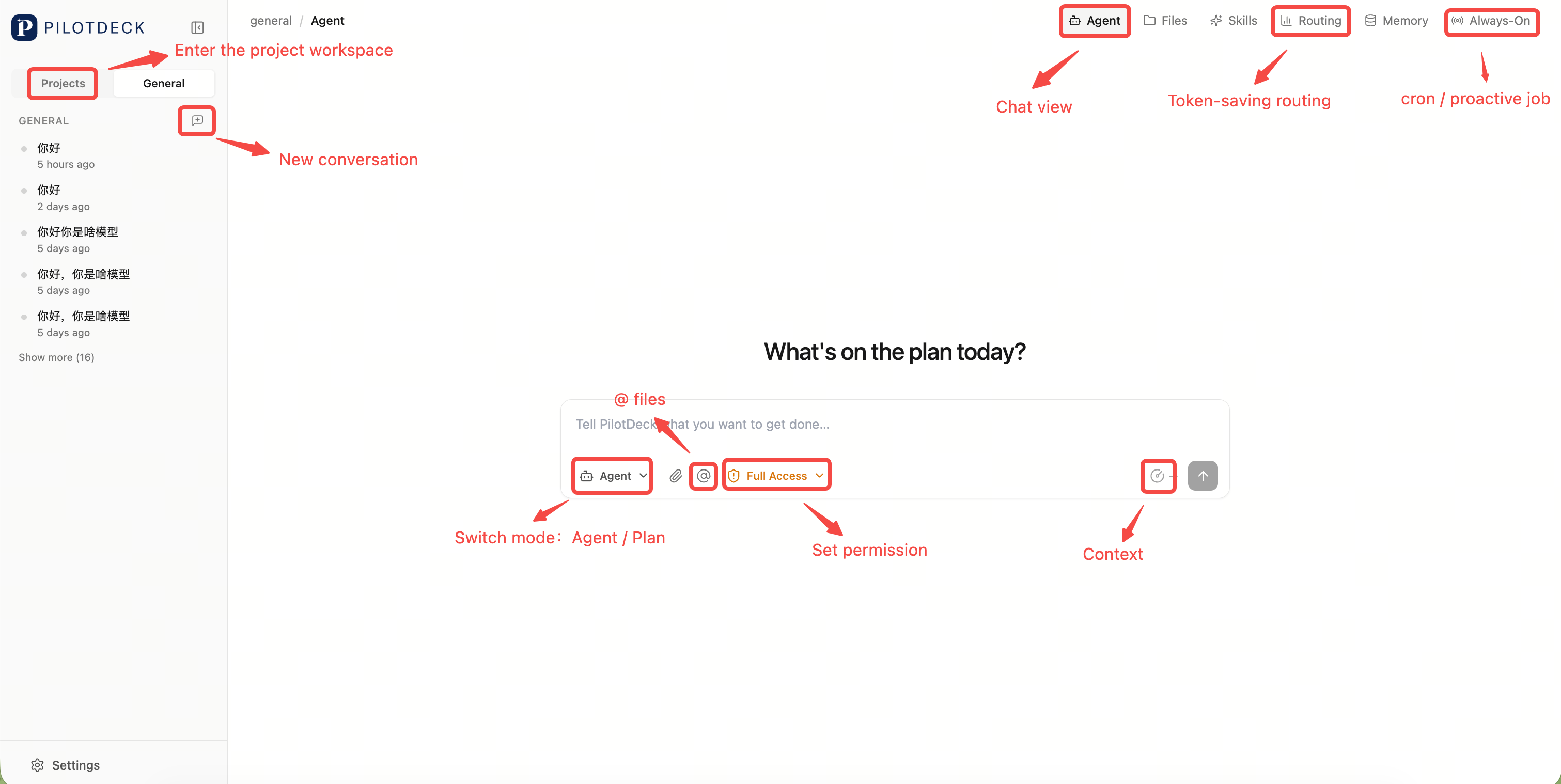
After entering PilotDeck, you'll see entries for Projects, Sessions, Models, Memory, Skills, and more. The overall interaction revolves around WorkSpaces: each project has its own independent context, making it easy to work on different tasks in parallel.
Workspace Projects and Plan Mode
WorkSpace is PilotDeck's core organizational unit. You can place each real project in its own WorkSpace, keeping files, memory, skills, and session history isolated.
Plan Mode is suited for complex tasks. The Agent will first break down your goal into a plan, then execute step by step. This avoids jumping straight into modifications, and lets you confirm direction at key checkpoints.
Always-On
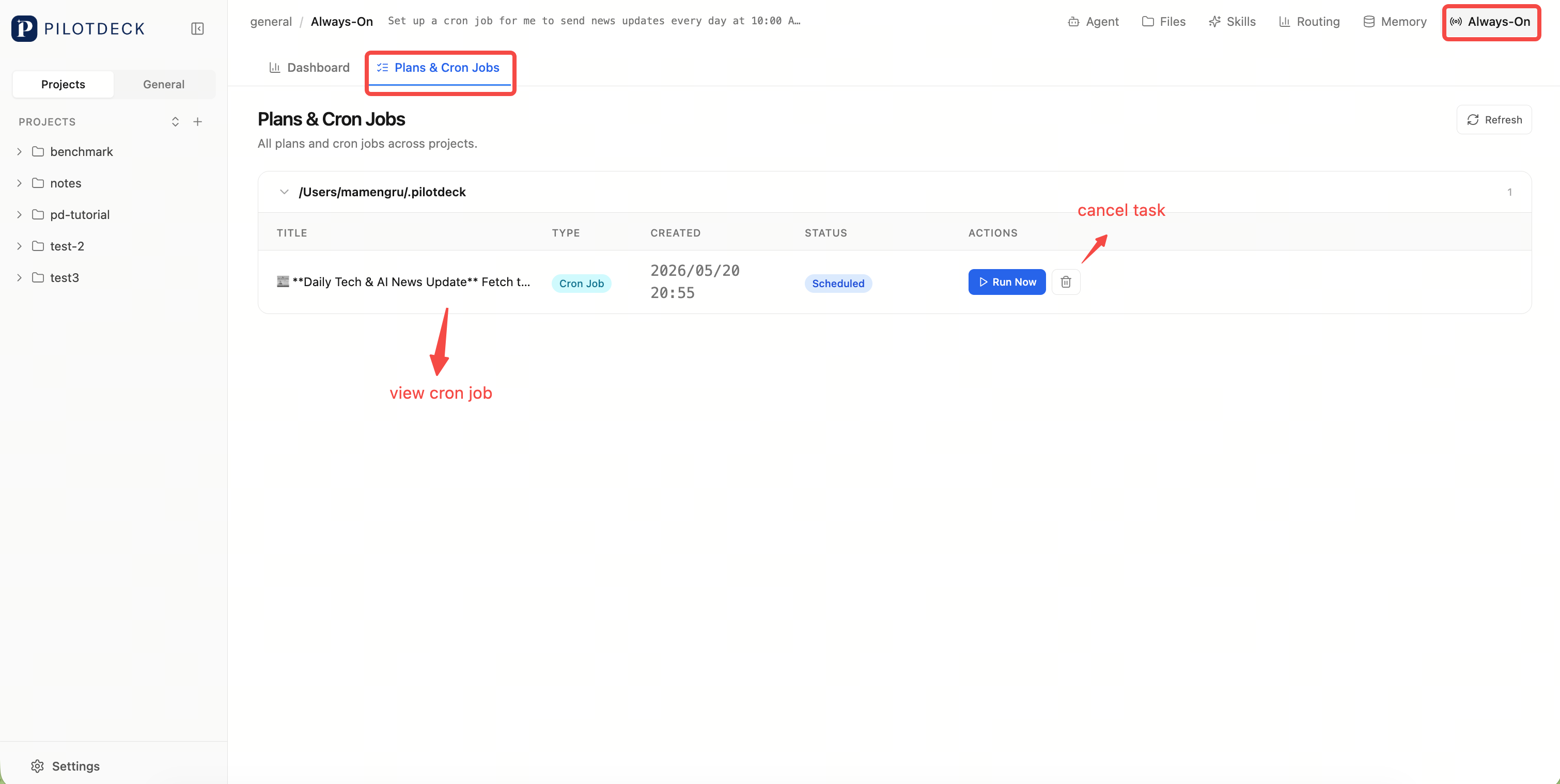
Always-On handles tasks that need long-running or scheduled execution, such as periodic checks, continuous tracking, and routine report generation.
- You can create cron job scheduled tasks.
- The Agent may also autonomously discover follow-up to-dos based on context.
- There are also exploration tasks and randomly triggered Easter eggs.
Input:

Then:
Memory
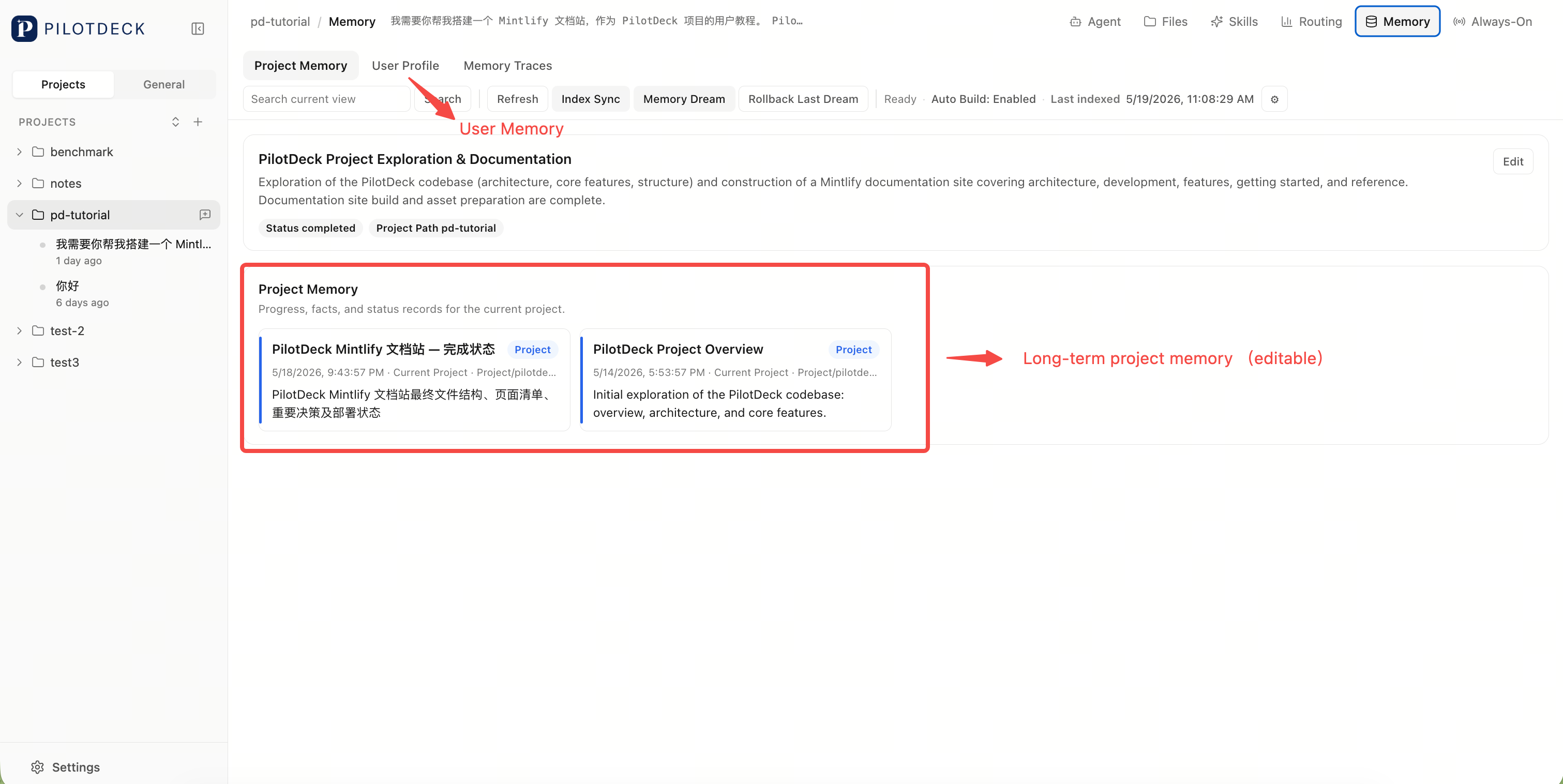
Memory periodically captures long-term context, such as user preferences, project background, common paths, and key decisions.
Unlike black-box memory, PilotDeck emphasizes visibility, searchability, and editability. You can view memory sources and correct inaccurate records as needed.
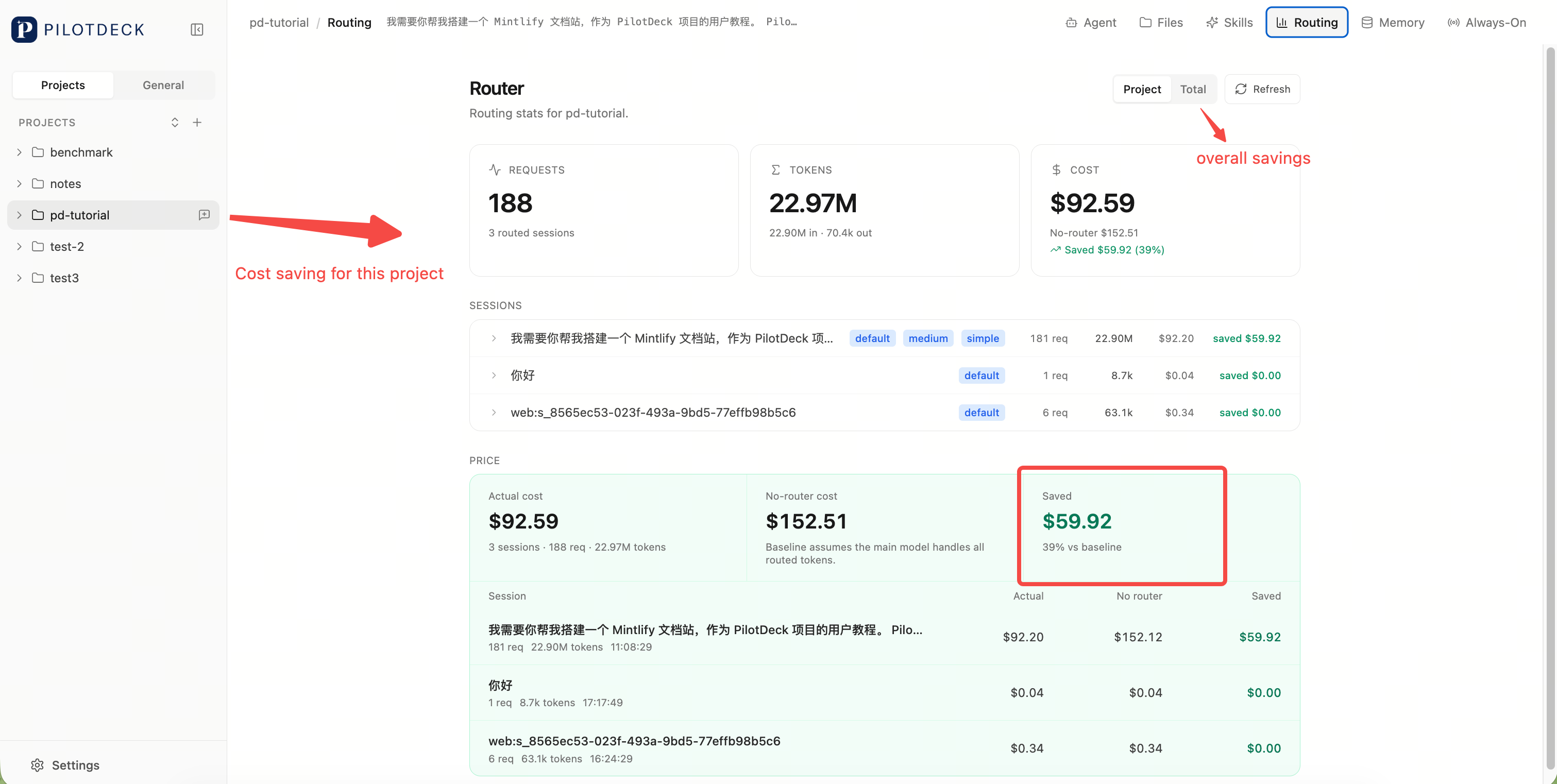
Cost-Efficient Routing
Routing selects the appropriate model based on task difficulty. Simple tasks can use lightweight models, while complex tasks switch to more powerful ones, reducing overall cost.
Skills
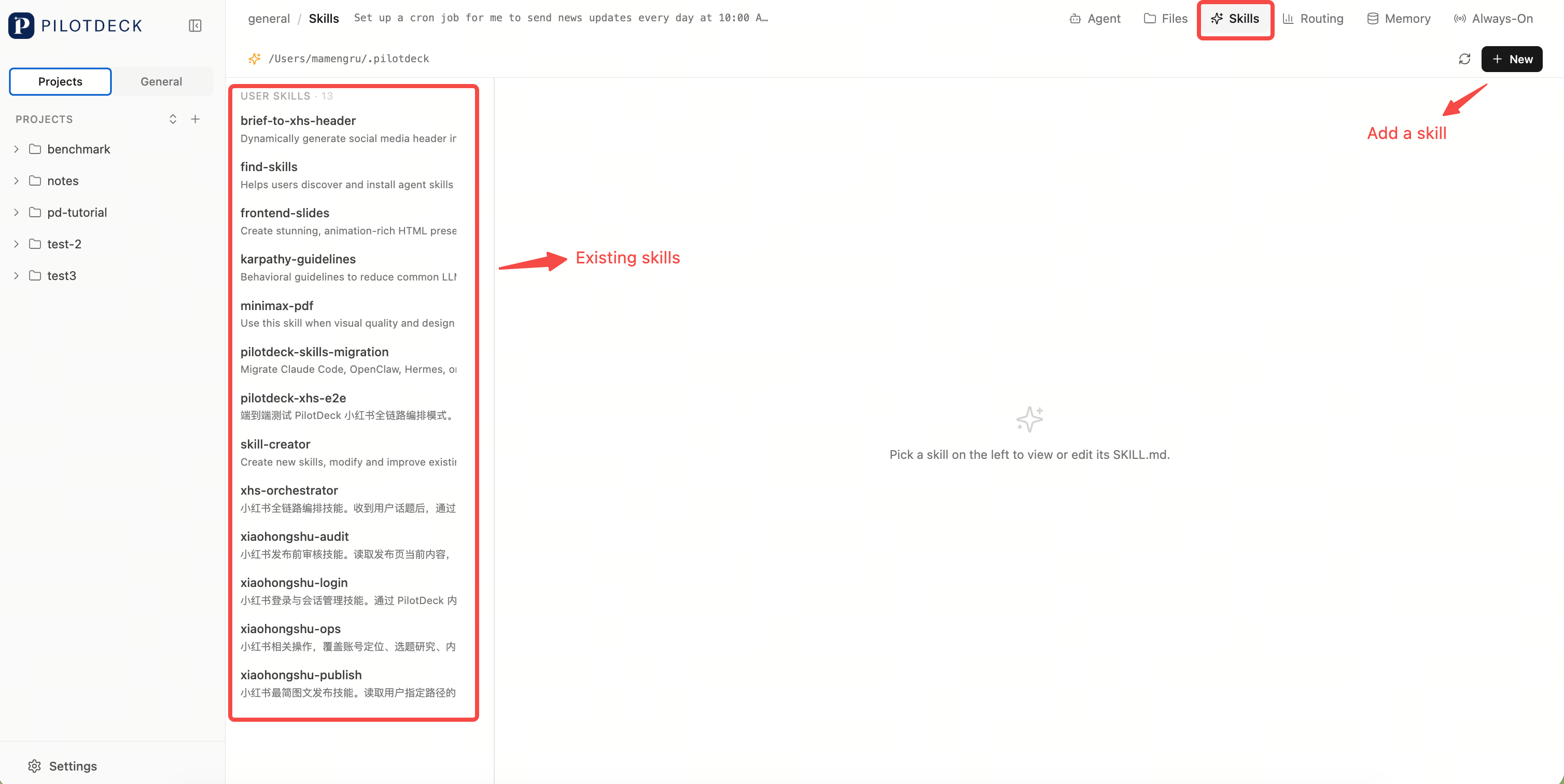
Skills are PilotDeck's extensibility mechanism. You can package common workflows, tool calls, platform operations, or project conventions as skills, letting the Agent invoke them automatically in appropriate scenarios.
Settings
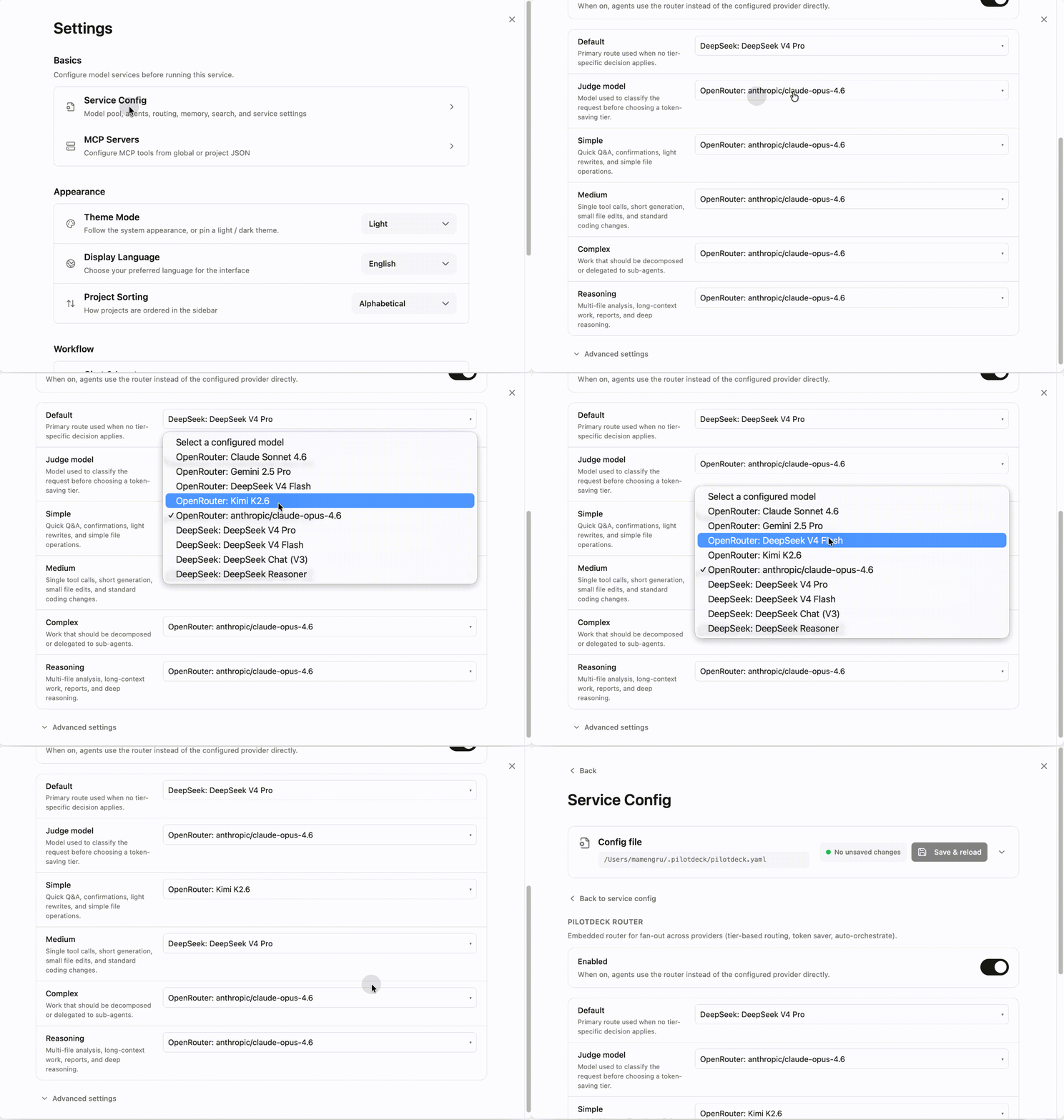
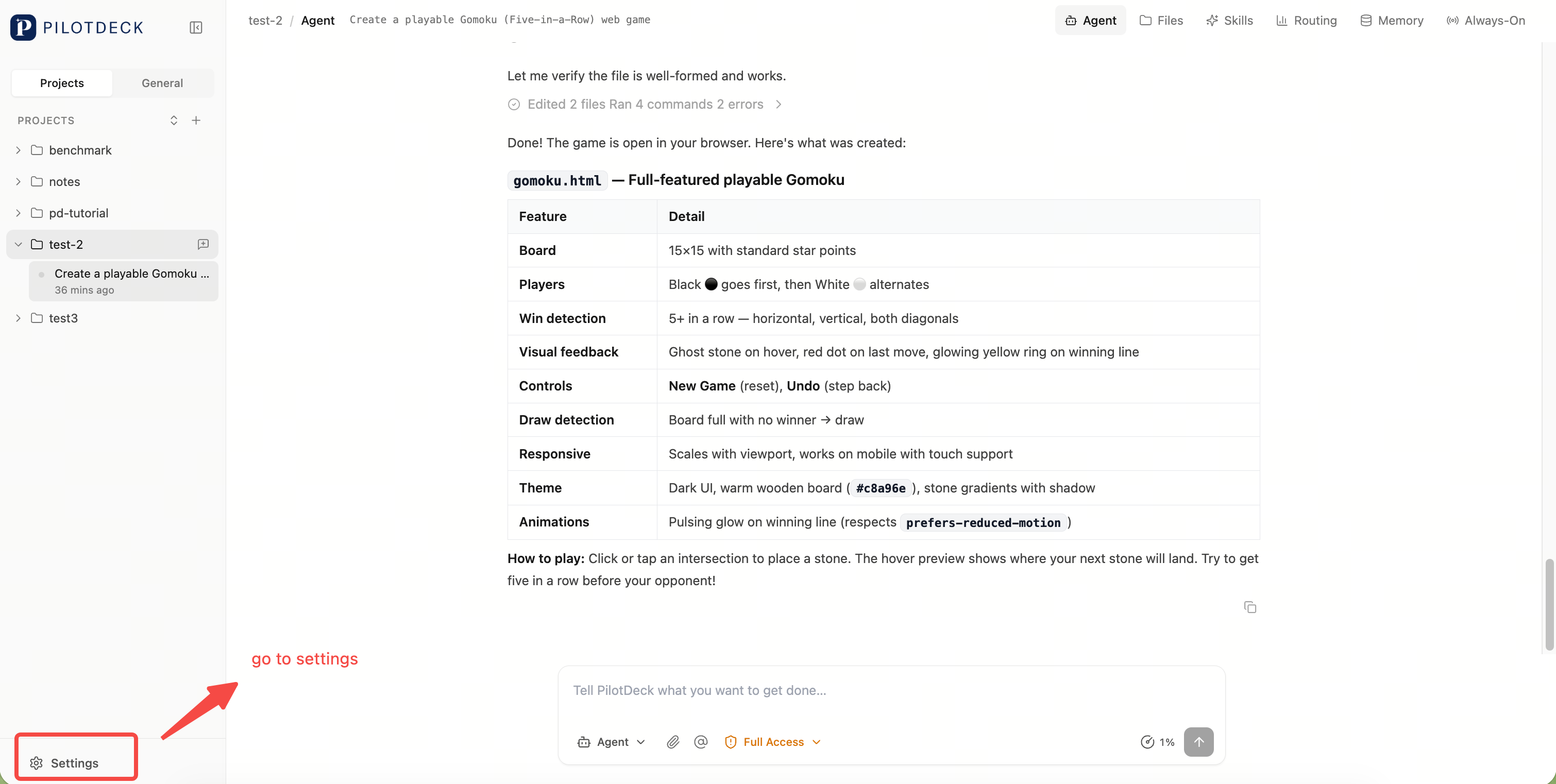
The Settings page lets you manage models, routing, and other system options.
Add Provider
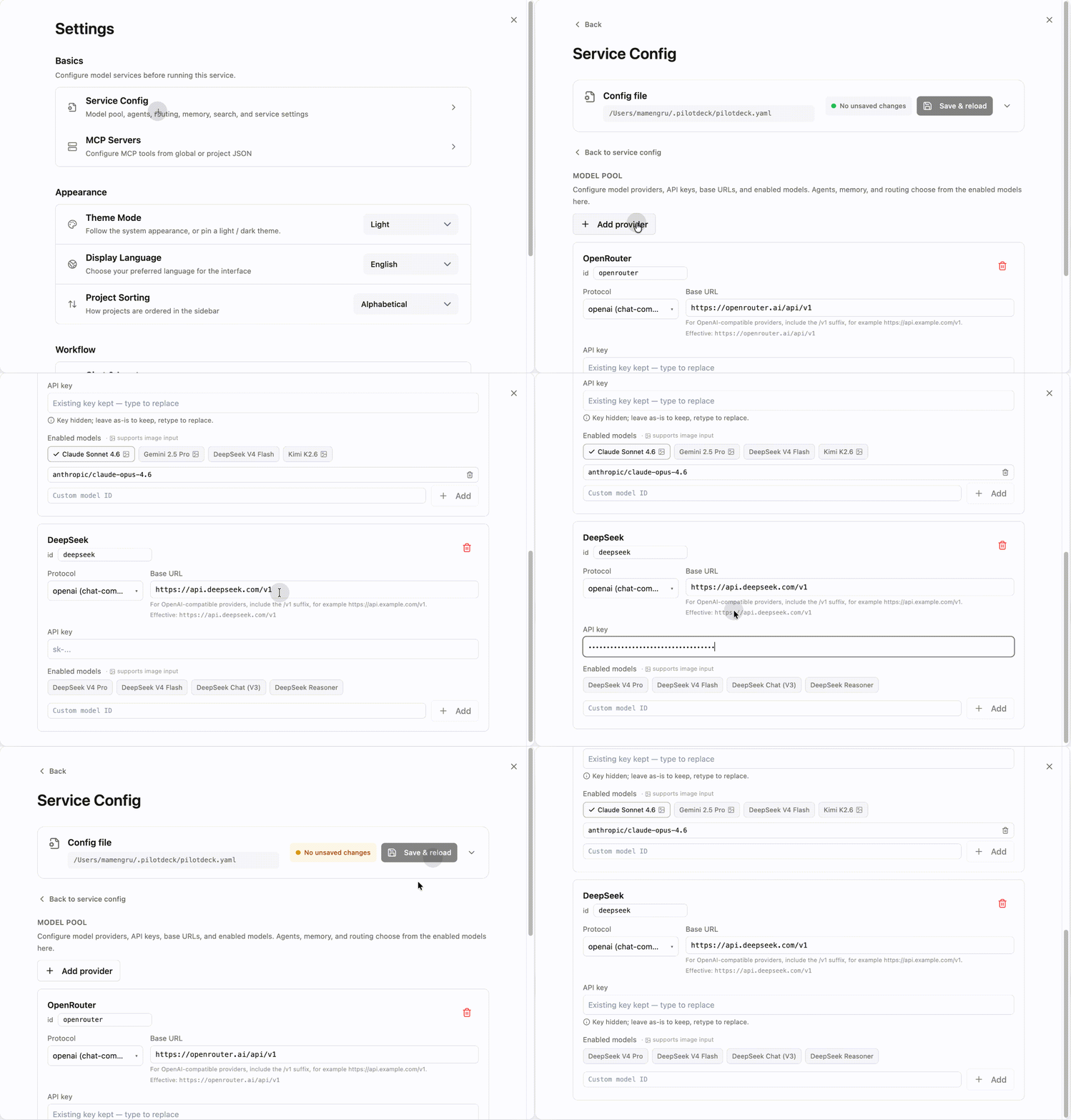
Settings → Service Config → Model Pool → Add Provider → Select Vendor → Enter API Key, URL, etc. → Save and Reload
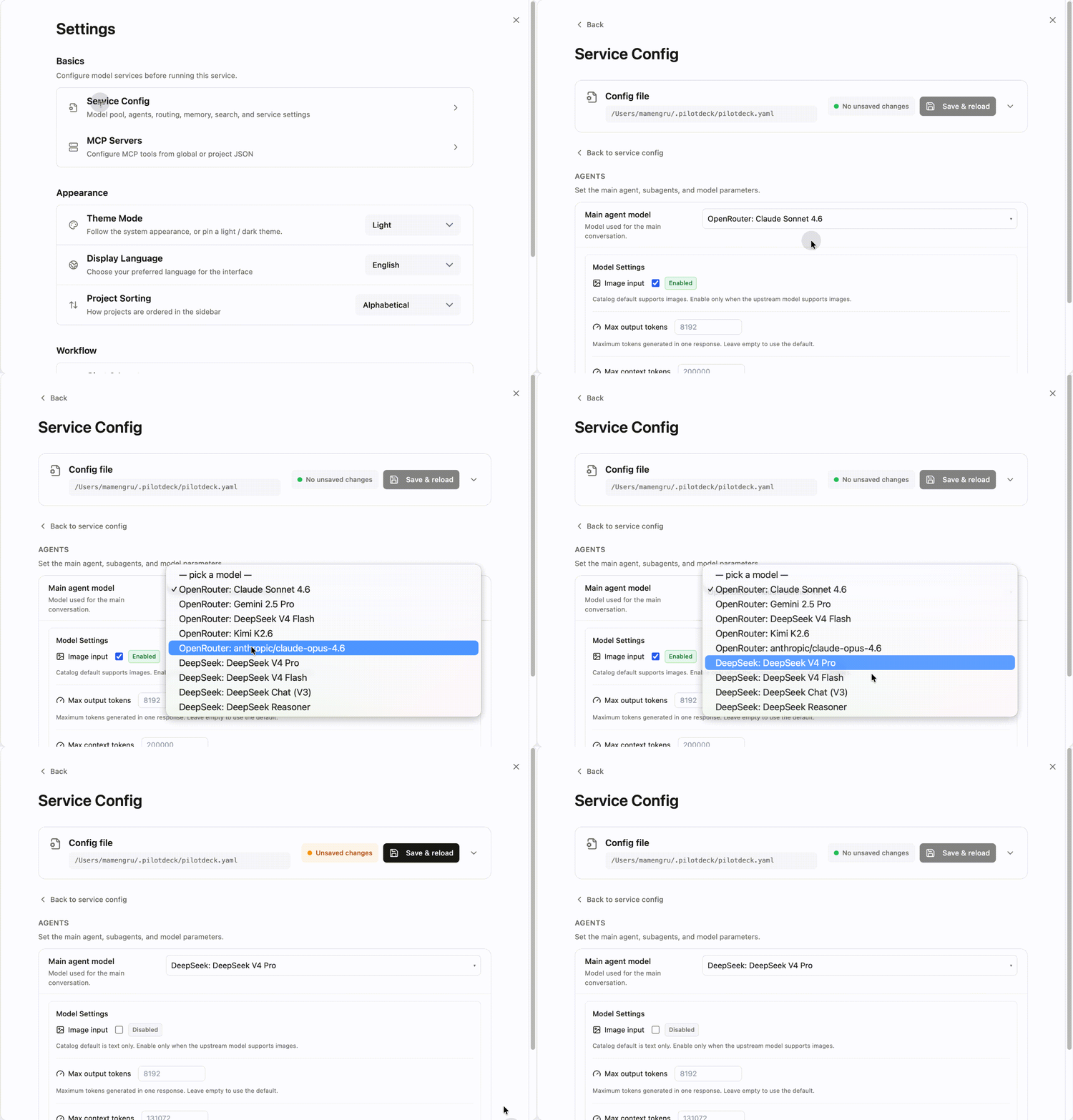
Set/Change Main Model
Settings → Service Config → Agent → Main Agent Model → Select → Save and Reload
Configure Cost-Saving Routing
The goal of cost-saving routing is to let the system automatically choose models based on task complexity, and calculate costs using a unified pricing table. Once configured, you can clearly see which models cost more and whether routing is actually saving money.
Settings → Service Config → Router → Choose your model configuration → Save and Reload